
Why is my TikTok MP3 short, mixed with voices or missing music?
Understand the difference between a post’s audio and a full song, why voices stay in an MP3 and what to check when sound is missing.
A sound label is not the same as a full recording
The title shown on TikTok can help you identify a track, but the post may use only a few seconds of it. Paste a specific video link into the MP3 downloader, rather than a sound collection or search page.
Listen to that video first. If it ends halfway through a chorus, the MP3 is not expected to continue into the next verse. To find the complete recording, use the artist and track details in a licensed music service.
Why the voiceover is still there
A video’s available audio may already combine narration, background music and sound effects. Extracting it preserves that mix. It does not hand you separate vocal, music and dialogue tracks.
For your own work, return to the editing project if you need a clean music bed or isolated voice. Removing a voice from a finished mix is another audio-processing task and can leave audible defects. TTDWN does not offer stem separation.
Check where the music went missing
Play the source post, then the downloaded file in a second compatible player. If the post is also silent, an MP3 converter has no audible track to recover from that version. If only the file is silent, retry from a fresh result and compare a video download of the same post.
TikTok provides a help page for sounds removed from videos. Follow the information attached to your own post if TikTok has removed its sound. A downloaded clip is not a workaround for a missing source or a change in music availability.
A bigger bitrate does not add missing music
Re-encoding an excerpt at a higher bitrate cannot make it a full song. It also cannot restore detail that the source did not contain. Listen for distortion, clipping and missing sections instead of treating a bitrate label as a quality guarantee.
If the entire request fails, see the download failure checklist. For the exact TTDWN workflow, use the MP3 tool guide.
What we checked
These checks use generated local media and the same file-processing code as TTDWN. The upstream extractor is replaced with a local fixture; this is not a test of live TikTok availability or a physical phone.
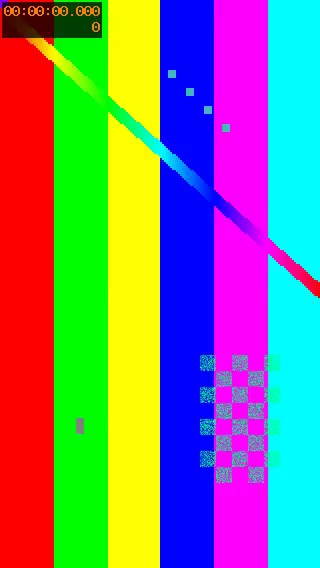
| File | Size in bytes | Duration in seconds | Dimensions | Frames per second |
|---|---|---|---|---|
| Generated source MP4 | 253685 | 3 | 320 × 568 | 30 |
| Saved MP4 | 253685 | 3 | 320 × 568 | 30 |
| Exported MP3 | 13674 | 3.06 | — | — |
The MP3 contains the generated sample’s mixed audio and remains about three seconds long. It has no video track. MP3 encoding can add a small amount of padding; exporting audio does not retrieve a longer song or separate the mixed sounds.
The local checks also cover missing or duplicate HD sources, video-audio selection, image order and invalid media files. The test log identifies which behavior uses fixtures and which runs FFmpeg.
File measurements and SHA-256 hashesLocal test log
Reproduce the check from the repository with: npm run evidence:ttdwn
Check date:
About this guide
TTDWN maintains this guide. Its update date records a change to this page, not a new test on every device or every TikTok post.
How we maintain guides and report checksSources and further reading
Documentation supports the platform and file-format explanations. Community discussions describe individual experiences and are not proof that a tool works for every post.
Documentation
Community discussions
A few useful next steps
How to download TikTok audio as MP3 with TTDWN
Save the available sound from a public TikTok video as MP3, check the finished clip and find the file on your phone or computer.
Read articleSaved a TikTok on iPhone but cannot find it? Check Files first
Save a TikTok in Safari, locate the download in Files and move a compatible video into Photos when you want it in your camera roll.
Read articleCan you save a TikTok slideshow with its music?
Choose between separate carousel photos and a video with timing and sound. Learn what the photo downloader saves and what needs an editor.
Read article