
Why do TikTok downloads look blurry or lose 60 fps?
What HD, resolution and frame rate mean for a downloaded TikTok, and how to compare the available files without chasing a 4K label.
Resolution, motion and compression are different
A clip can be sharp when paused and still look choppy during a camera pan. Resolution describes the size of the image; frame rate describes how frequently it changes. Compression can soften detail even when the pixel dimensions are large.
That is why a bigger file or an “HD” button does not settle the question. A portrait file may be 720 × 1280, for example, but the number alone says nothing about whether fine text looks clean or fast motion looks smooth.
Make a fair comparison
Play the source post and the saved file at a similar size. A small TikTok player can hide defects that become obvious when the download fills a laptop screen. Check the same moment in both versions, especially text, hair, grass or moving edges.
Open the saved file’s details in a player or file inspector. Look for width, height, duration and frame rate. Keep the first downloaded copy while comparing; sending a clip through a messaging app or exporting it from an editor can introduce another change.
- Use the HD downloader to check the public post.
- If HD is available, save it and compare it with a standard copy from the video tool.
- Inspect file properties and watch a short section with movement.
- Keep the better source file for editing, rather than repeatedly exporting between apps.
Can a tool recover the original upload?
TTDWN does not have access to the creator’s camera roll or editing project. If the available source is already soft, saving it in an MP4 container cannot restore the missing texture. Likewise, changing a file to 60 fps later does not recover the exact frames from the original recording.
If this is your own work and quality matters for a client, go back to your original export. A download is useful when you need an available copy; it should not replace the master file.
What to do when there is no HD result
Use the available standard file if it suits your purpose, or wait and check the link again later. There is no need to install a codec pack to fix an unavailable source. If every file request fails, follow the download checklist.
What we checked
These checks use generated local media and the same file-processing code as TTDWN. The upstream extractor is replaced with a local fixture; this is not a test of live TikTok availability or a physical phone.
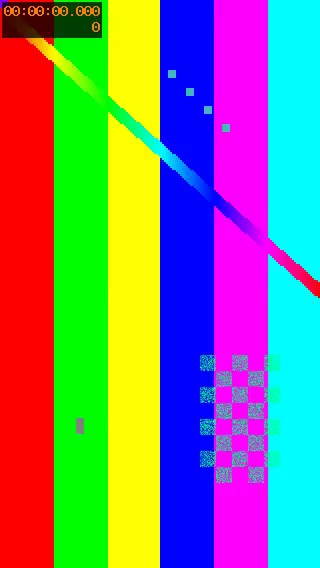
| File | Size in bytes | Duration in seconds | Dimensions | Frames per second |
|---|---|---|---|---|
| Generated source MP4 | 253685 | 3 | 320 × 568 | 30 |
| Saved MP4 | 253685 | 3 | 320 × 568 | 30 |
| Exported MP3 | 13674 | 3.06 | — | — |
The source MP4 and saved MP4 have identical SHA-256 hashes in this check. Saving this available MP4 preserved its bytes, dimensions and frame rate. This does not prove that a TikTok source matches the creator’s original upload or contains an HD version.
The local checks also cover missing or duplicate HD sources, video-audio selection, image order and invalid media files. The test log identifies which behavior uses fixtures and which runs FFmpeg.
File measurements and SHA-256 hashesLocal test log
Reproduce the check from the repository with: npm run evidence:ttdwn
Check date:
About this guide
TTDWN maintains this guide. Its update date records a change to this page, not a new test on every device or every TikTok post.
How we maintain guides and report checksSources and further reading
Documentation supports the platform and file-format explanations. Community discussions describe individual experiences and are not proof that a tool works for every post.
Documentation
Community discussions
A few useful next steps
How to check and download an HD TikTok video
Use TTDWN’s HD downloader to check for a separate HD source, save the available file and compare it with a standard video copy.
Read articleHow to save a TikTok as MP4 for playback or editing
Turn a supported public TikTok link into an available MP4 and understand file compatibility, source quality and why renaming a file is not conversion.
Read articleTikTok downloader not working? Find where the download stops
Separate a broken TikTok link from an unavailable source, an expired result or a browser download problem before you retry.
Read article