
How to check and download an HD TikTok video
Use TTDWN’s HD downloader to check for a separate HD source, save the available file and compare it with a standard video copy.
Use HD when detail makes a difference
Small text in a tutorial, fabric detail or a product close-up may benefit from a better source. If you only need a quick reference on a phone, the standard version may already be enough. Compare before keeping several large copies.
The HD label describes the available source choice. It is not a promise that every post has the same resolution, bitrate or frame rate. TTDWN does not retrieve the creator’s private upload or editing project.
Request the HD file directly
Copy the share link from one public video. Open the TikTok HD Downloader, paste it and submit the request. This page focuses on HD rather than silently substituting another format.
If a result is offered, download it and let the file preparation finish. Check the browser’s downloads list afterwards. On a phone, look in Files or Downloads if your gallery is empty.
- Copy the exact public video link.
- Paste it into the HD downloader and submit it once.
- Save the available HD result.
- Play the file and inspect its dimensions and motion in a compatible player.
If HD is unavailable
A working standard video does not guarantee a separate HD file. You can choose a standard copy on the video downloader, or check the source again later. Repeatedly pressing the HD button does not add another upstream version.
If all versions fail, investigate the link rather than the resolution. Check that the post is still public, then follow the download troubleshooting guide.
Compare before your next export
Keep the downloaded file unchanged while you compare it with the source. Sending it through another app or re-exporting it first can introduce a separate quality change. Look at text edges and moving sections at a similar display size.
For a 60 fps or “original quality” question, read why TikTok downloads can look blurry or choppy. If it is your own video and you still have the original export, keep that as the master for future edits.
What we checked
These checks use generated local media and the same file-processing code as TTDWN. The upstream extractor is replaced with a local fixture; this is not a test of live TikTok availability or a physical phone.
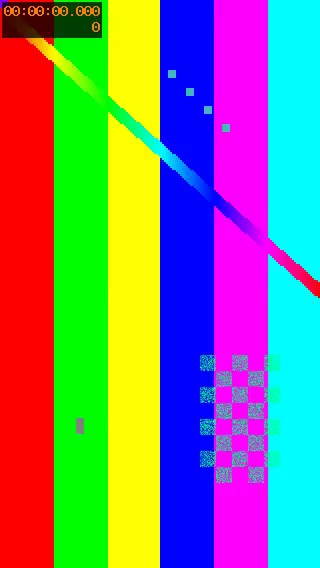
| File | Size in bytes | Duration in seconds | Dimensions | Frames per second |
|---|---|---|---|---|
| Generated source MP4 | 253685 | 3 | 320 × 568 | 30 |
| Saved MP4 | 253685 | 3 | 320 × 568 | 30 |
| Exported MP3 | 13674 | 3.06 | — | — |
The source MP4 and saved MP4 have identical SHA-256 hashes in this check. Saving this available MP4 preserved its bytes, dimensions and frame rate. This does not prove that a TikTok source matches the creator’s original upload or contains an HD version.
The local checks also cover missing or duplicate HD sources, video-audio selection, image order and invalid media files. The test log identifies which behavior uses fixtures and which runs FFmpeg.
File measurements and SHA-256 hashesLocal test log
Reproduce the check from the repository with: npm run evidence:ttdwn
Check date:
About this guide
TTDWN maintains this guide. Its update date records a change to this page, not a new test on every device or every TikTok post.
How we maintain guides and report checksSources and further reading
Documentation supports the platform and file-format explanations. Community discussions describe individual experiences and are not proof that a tool works for every post.
Documentation
Community discussions
A few useful next steps
Why do TikTok downloads look blurry or lose 60 fps?
What HD, resolution and frame rate mean for a downloaded TikTok, and how to compare the available files without chasing a 4K label.
Read articleHow to download a TikTok video with TTDWN
Copy one public TikTok post link, compare the available video and audio options, and save the file you need without installing an app.
Read articleHow to save a TikTok as MP4 for playback or editing
Turn a supported public TikTok link into an available MP4 and understand file compatibility, source quality and why renaming a file is not conversion.
Read article